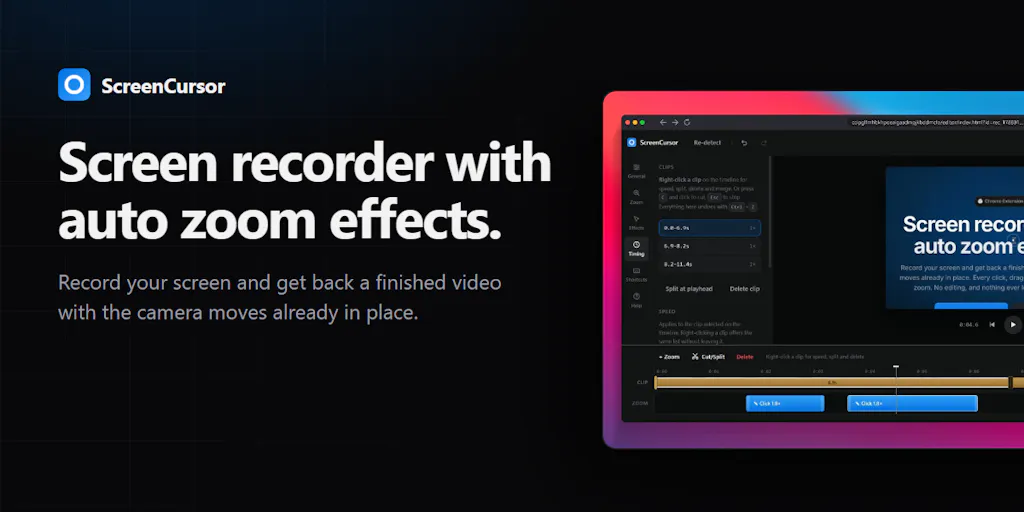
ScreenCursor tackles one of content creation's most tedious problems: manual screen recording edits. The tool automatically zooms in on cursor movement and keyboard activity, eliminating the need for creators to manually track and highlight interactions during post-production.
The software targets a specific pain point for tutorial makers, online educators, and SaaS companies building product demos. Recording screen activity generates enormous files, and traditional workflows require creators to manually add zoom effects, pan across footage, and time these transitions to match cursor movement. ScreenCursor automates this entire process, detecting when users interact with the screen and automatically framing those moments.
This solves real friction in the creator economy. A developer recording a 30-minute coding tutorial previously spent hours adding zoom effects and timing them correctly. ScreenCursor compresses that workflow into seconds. The tool analyzes cursor position, click events, and keyboard input, then generates zoom keyframes that scale and pan video automatically.
The product launched on Product Hunt, a common distribution channel for developer tools and productivity software targeting creators. Product Hunt users skew heavily toward makers, bootstrapped founders, and early adopters willing to test new tools. ScreenCursor's positioning suggests it pursues this audience specifically rather than enterprise buyers.
Competitors in this space remain fragmented. Adobe Premiere Pro and Final Cut Pro dominate professional video editing but require significant expertise and manual labor. Lighter alternatives like Camtasia and SnagIt include basic zoom features but require manual application. Descript focuses on transcription and audio-first editing rather than automatic visual tracking. Loom simplified screen recording itself but leaves editing to users. ScreenCursor fills a gap by automating the specific task of cursor-tracking zoom.
The economics matter for ScreenCursor's positioning. Creators generating content continuously need tools that reduce per-video production time. Ten seconds of auto-applied zoom effects compounds across hundreds of recordings. For SaaS companies recording product updates weekly, the cumulative time savings translate to real cost reduction. Educational platforms building massive video libraries benefit equally.
ScreenCursor's core technology relies on motion detection and event-triggered automation rather than AI processing. This makes the product implementable without requiring enormous compute resources or complex model training. The tool can run efficiently on individual creator machines or as a web-based service without astronomical infrastructure costs.
Distribution through Product Hunt positions ScreenCursor for organic adoption among creators already comfortable discovering new tools through that community. The platform provides immediate feedback through upvotes and user comments, giving founders validation and feature requests simultaneously. Successful Product Hunt launches often generate press coverage and inbound interest from creators across Twitter and indie hacker communities.
ScreenCursor's viability depends on converting free users into paid customers. Freemium models work well for creator tools because marginal cost per user stays low. The tool likely offers free video processing with limits on export quality or file count, then charges for unlimited exports or advanced features like batch processing. Pricing tiers could target freelancers separately from teams or enterprises.
The broader market for creator tools continues expanding as remote work, online education, and digital marketing drive demand for tutorial and demo content. ScreenCursor operates in a category attracting venture capital investment and acquirer interest. Larger players like Adobe, Notion, or screen recording platforms might view automatic zoom capabilities as table-stakes features worth acquiring rather than building.